[ODPM Digital Platform] High Fraud Risk Alert Manual 2025-07-25
1. What is High Fraud Risk Alert Notification
1.1 Alert Push
-
Database: Scan all transaction data on the Oceanpayment platform within the past 720 hours prior to the scan time.
-
Alert Scan Time: Scan once every hour.
-
High-Risk Fraud Alerts: Successful transactions (with successful status or pending credit card pre-authorization) that have not been refunded, disputed, or identified as fraudulent within the past 168 hours prior to the current alert scan will be displayed in the high-risk fraud alert list. Orders already notified in the alert list will not be notified again.
1.2 Alert Scan Rules
- If merchants need to add additional alert scan rules, they can contact their dedicated Oceanpayment operations support manager. Oceanpayment supports custom alert scan rule settings.
1.3 Alert Receiving Email
- Merchants can set up their alert receiving email addresses in the platform.
2. High Fraud Risk Alert Function
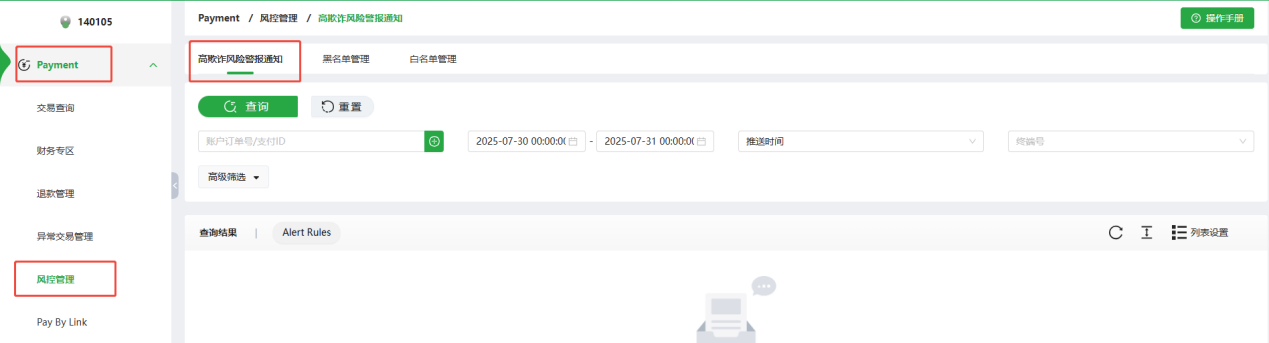
Path: Log in ODPM - Payment - Risk&Fraud - HighRisk
2.1 Search
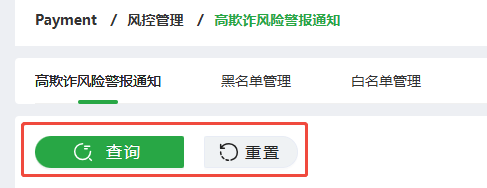
- Search: retrieve results based on filter criteria;
Reset:clear the contents of the filter criteria.
- Filter: click to unfold or collapse the options
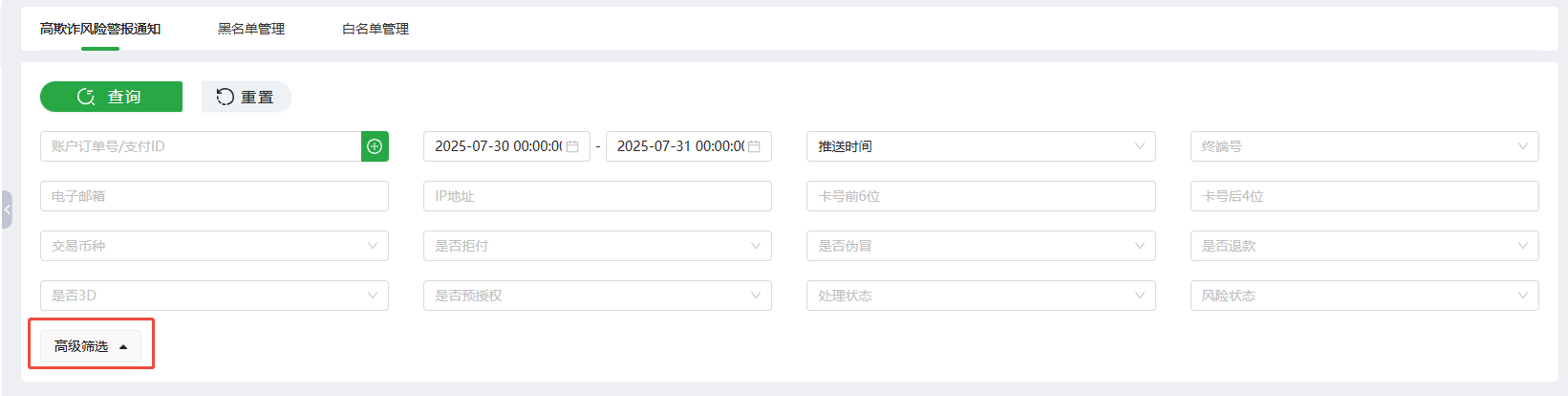
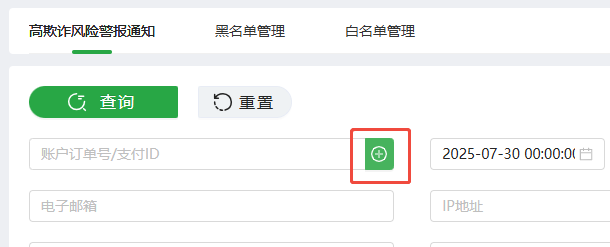
- Account Order No./OP Payment ID: Merchant can enter Account Order No. or OP Payment ID to conduct a query.
-
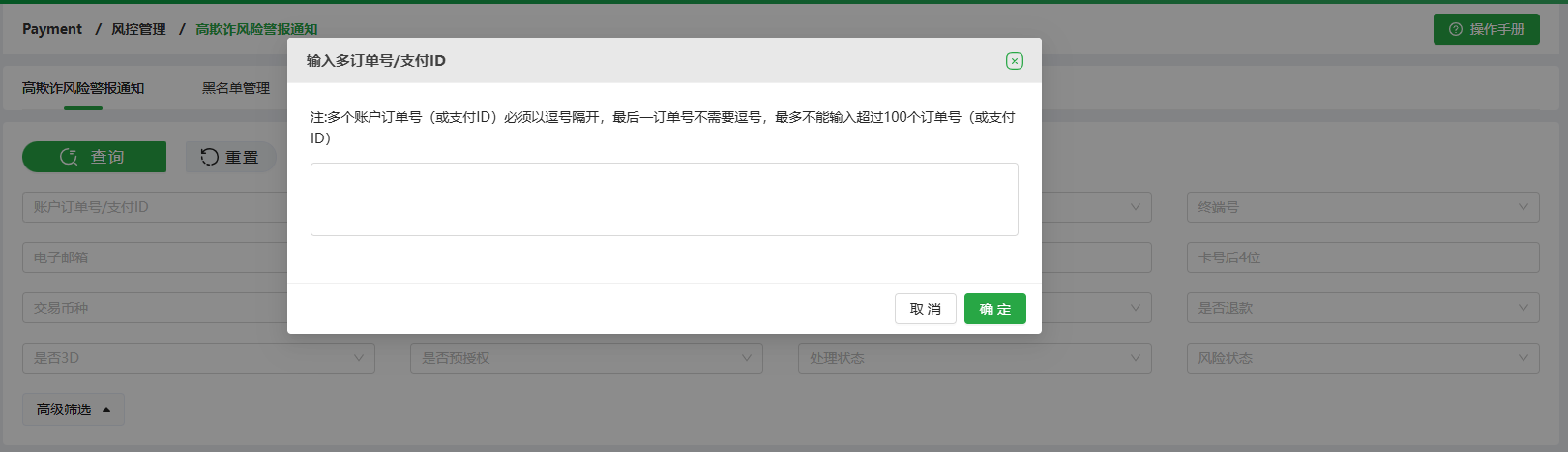
Supports input of multiple Account Order No.(or OP Payment ID) by using [+].
-
Please either input the Account Order No.(s) or OP Payment ID(s); do not input both the Account Order No.(s) and OP Payment ID(s) at the same time.
-
Please separate orders by commas, the last Account Order No.(or OP Payment ID) does not need a comma.
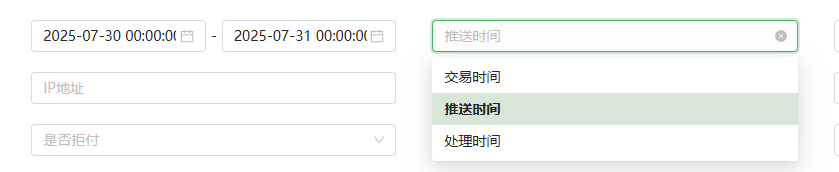
- The default time type is [Push Time]: This refers to the time when high-risk orders are pushed after an alert scan.
-
Transaction Time: The time when the alerted order was paid.
-
Processing Time: The time when the merchant performs a refund on an alerted order.
-
Terminal No: Merchants can select multiple terminals at the same time.
-
Email: The system performs a case-sensitive and precise query.
-
IP address/ First 6 digits of Card Number/ Last 4 digits of Card Number/ Operation currency: precise query.
-
Chargeback or not: "Yes" if the order has been initiated a chargeback, otherwise "No".
-
Fraud or not: "Yes" if the order has been identified as fraudulent, otherwise "No".
-
Refund or not: "Yes" if the order has been refunded, otherwise "No".
-
3D or not: "Yes" if the transaction is a 3D Secure transaction, otherwise "No".
-
Pre - auth: "Yes" if the transaction is a pre-authorization transaction, otherwise "No".
-
Status: For orders under the [High Fraud Risk Alert Notification], regardless of whether they are automatically authorized or voided via Alert Rules, manually authorized or voided, or if a refund has been submitted, the processing status will be marked as "Yes". If none of these conditions are met, the status will be marked as "No".
-
Risk status: Risk warning transactions/ High-risk transactions
-
High-risk transactions: Blacklisted Transactions: The information of this order has been entered into the blacklist database due to reasons such as "credit card stolen, fraudulent chargeback, counterfeit, or bulk multi-card transactions". Transactions involving multiple cards from the same user: The information of this order exhibits characteristics of "bulk multi-card transactions", such as "using multiple different credit cards with the same email address for transactions".
-
Risk warning transactions: High-Value Orders: Alerts for high-value orders (e.g., orders with amounts of 900 USD or above). Designated Risk Transaction Alerts: Customized transaction risk alerts set by merchants.
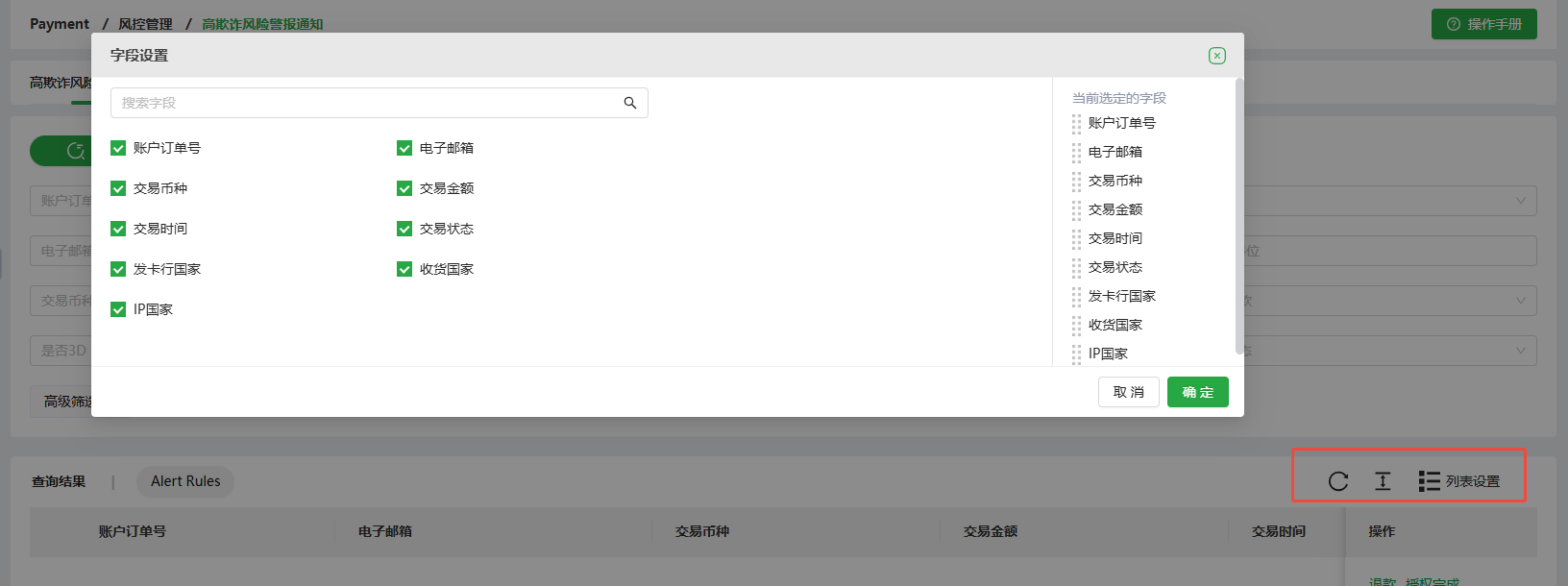
- Merchants can customize the list-setting
-
Update
-
Full Screen
-
List Settings
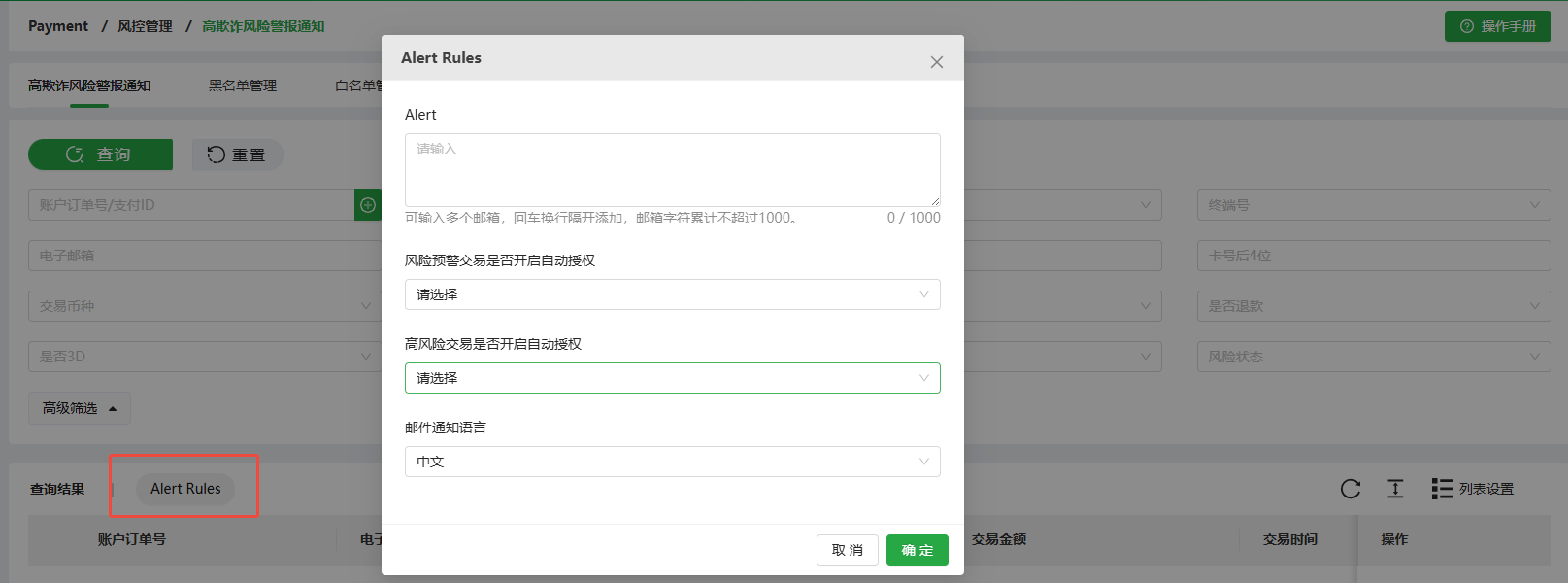
2.2 Alert Rules
-
Alert:Merchants can configure email addresses to additionally receive high-risk alert orders via email. It is optional to configure email addresses, and merchants can configure multiple email addresses if needed.
-
Whether to enable automatic authorization for risk warning transactions:
-
Void: For credit card pre-authorization transactions where the [Risk Status = Risk warning transaction], the system will automatically [Void], resulting in a failed transaction.
-
Capture: For credit card pre-authorization transactions where the [Risk Status = Risk warning transaction], the system will automatically [Capture], resulting in a successful transaction.
- Whether to enable automatic authorization for high-risk alert transactions:
-
Void: For credit card pre-authorization transactions where the [Risk Status = High-risk transactions], the system will automatically [Void], resulting in a failed transaction.
-
Capture: For credit card pre-authorization transactions where the [Risk Status = High-risk transactions], the system will automatically [Capture], resulting in a successful transaction.
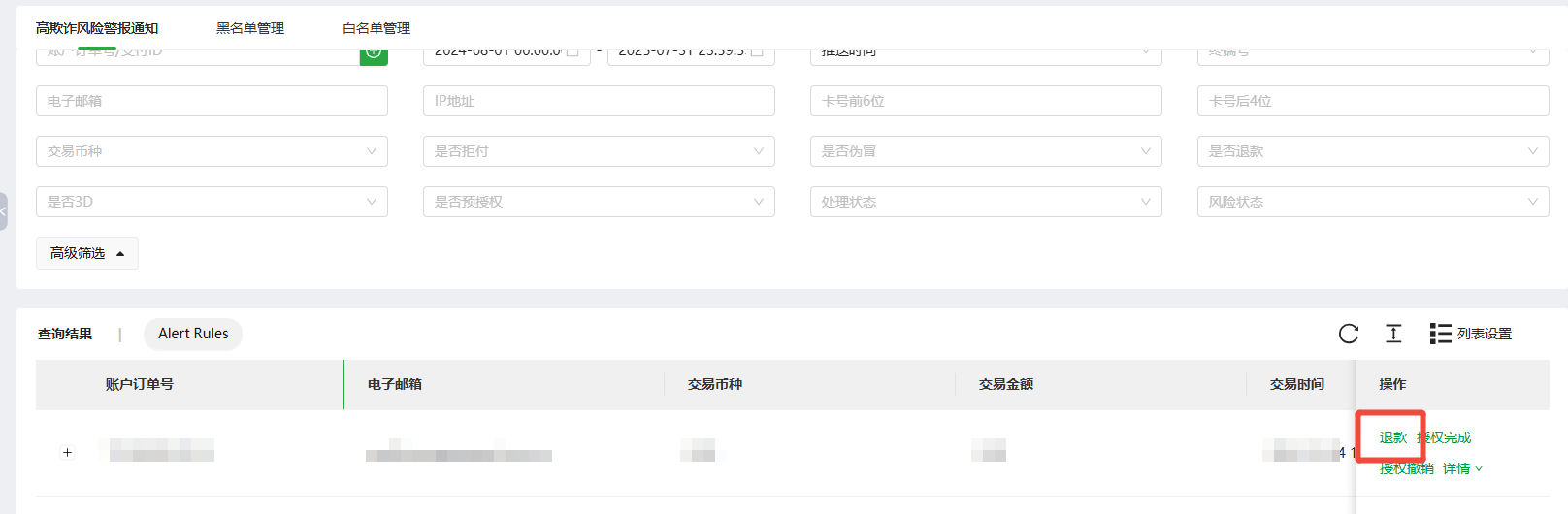
2.3 Refund
- Refund: click to process refunds for orders with high fraud risk.
2.4 Order Details
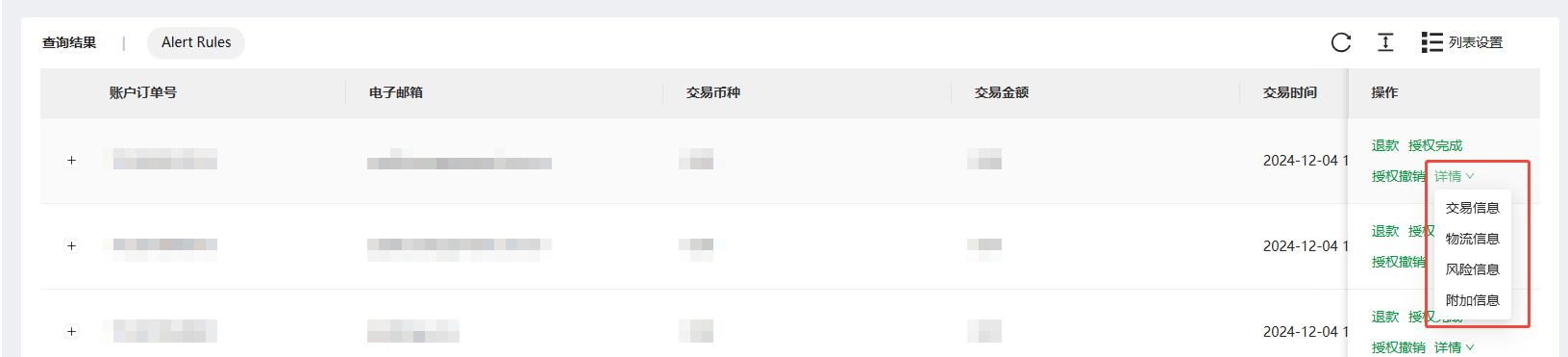
- Order Details: click to check further information of orders with high fraud risk.
-
Transaction Info.
-
Logistics Info.
-
Risk Info.
-
Additional Info.