[ODPM Digital Platform] - Blacklist Operation Manual 2025-07-25
1. Blacklist Function
Path: Payment > Risk&Fraud > Blacklist
Consumers on the blacklist will be unable to conduct transactions through the Oceanpayment platform, as they will be directly blocked by the Oceanpayment risk control system.
1.1 Search
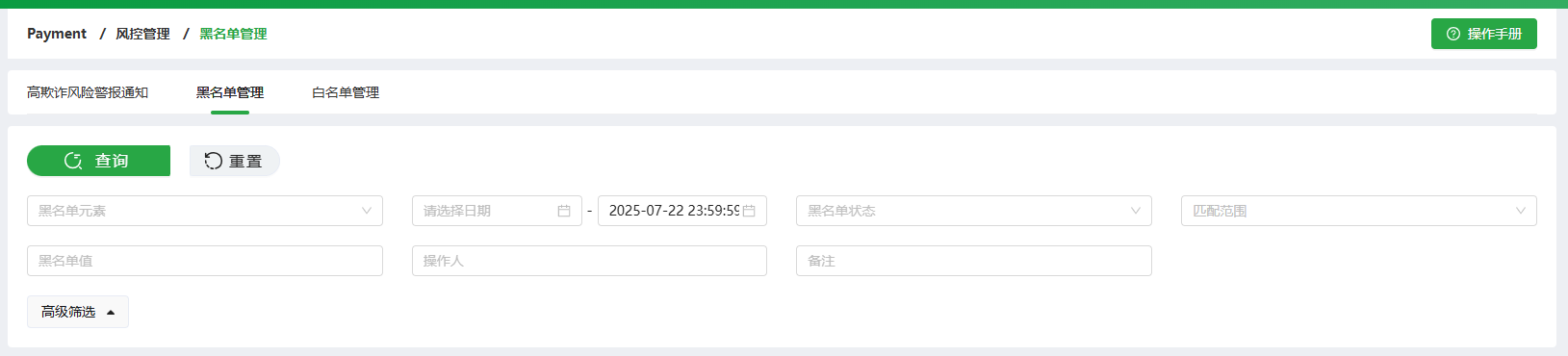
-
Blacklist Element: Card Number, Email, IP address, Phone, Full name, Address
-
Time Frame: Start datetime ~ End datetime(default to the current datetime)
-
Blacklist Status: Active/Disabled
-
Terminal No.: Allow multiple selection on terminals or search the whole account.
-
Blacklist Value: Input the text, and the system will conduct a precise match query.
-
Operator: Input the text, and the system will conduct a fuzzy match query.
-
Remarks: Input the text, and the system will conduct a fuzzy match query.
1.2 Add
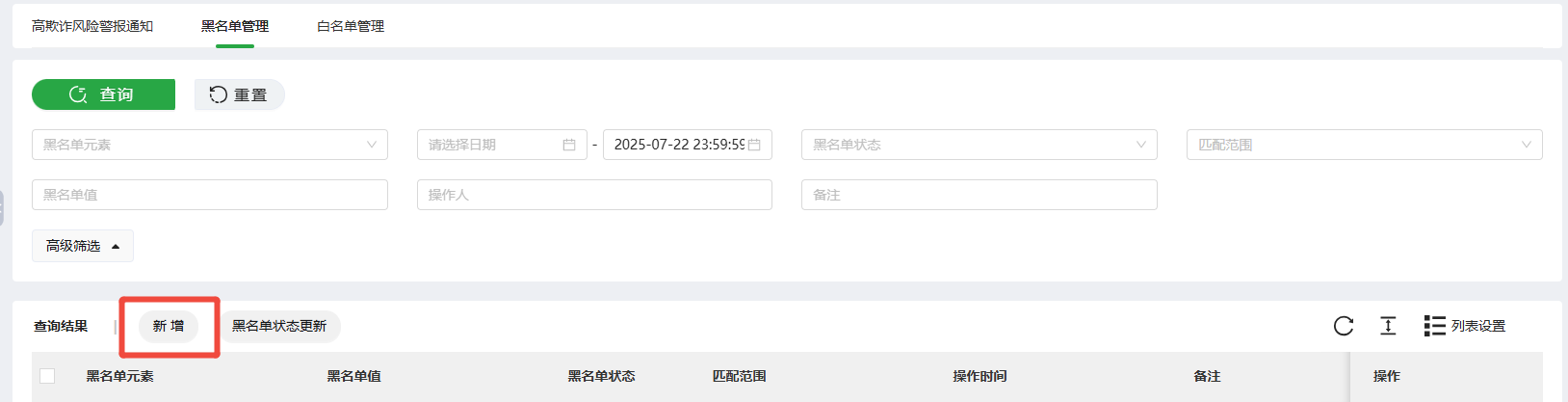
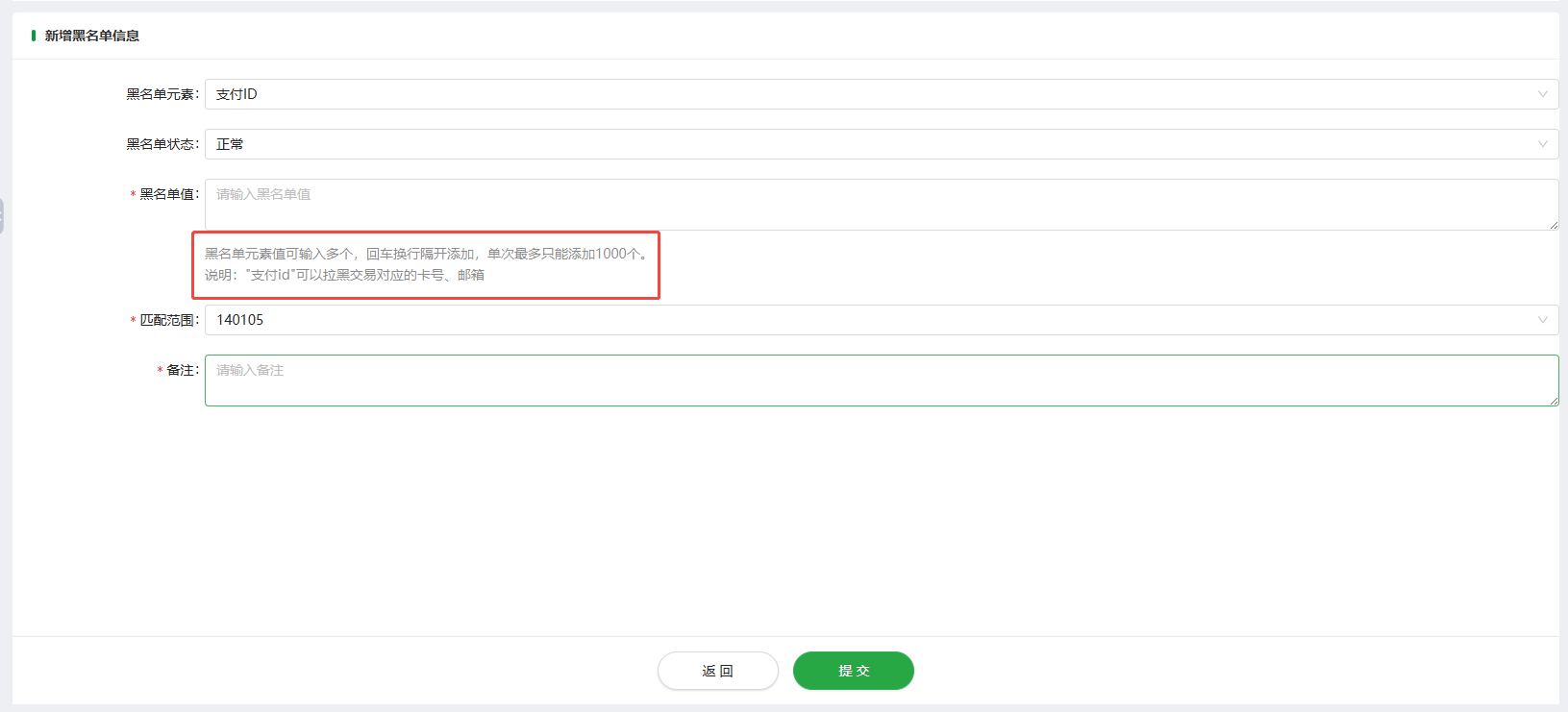
Click the [Add] button to enter the page for adding consumer blacklist information.
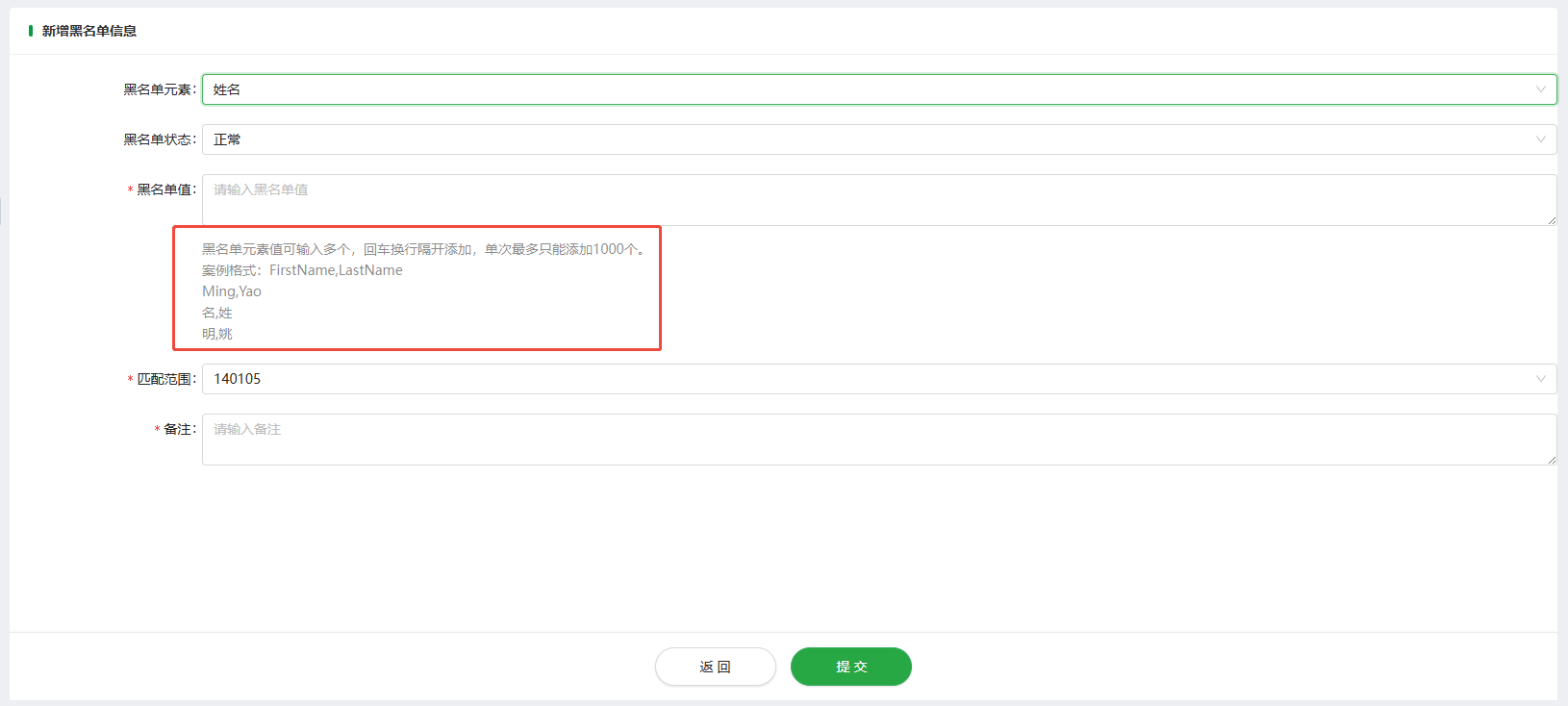
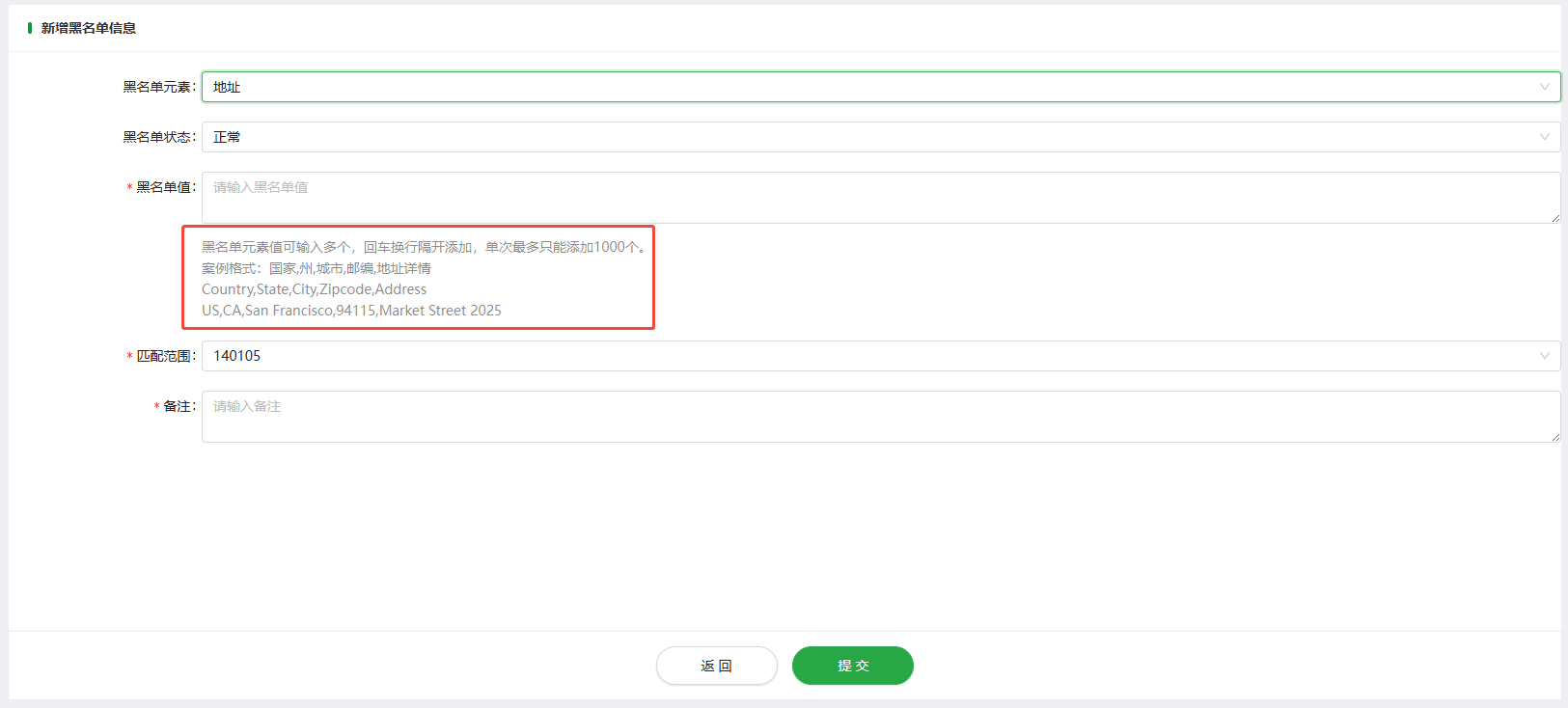
The page for adding consumer blacklist information are as follows:
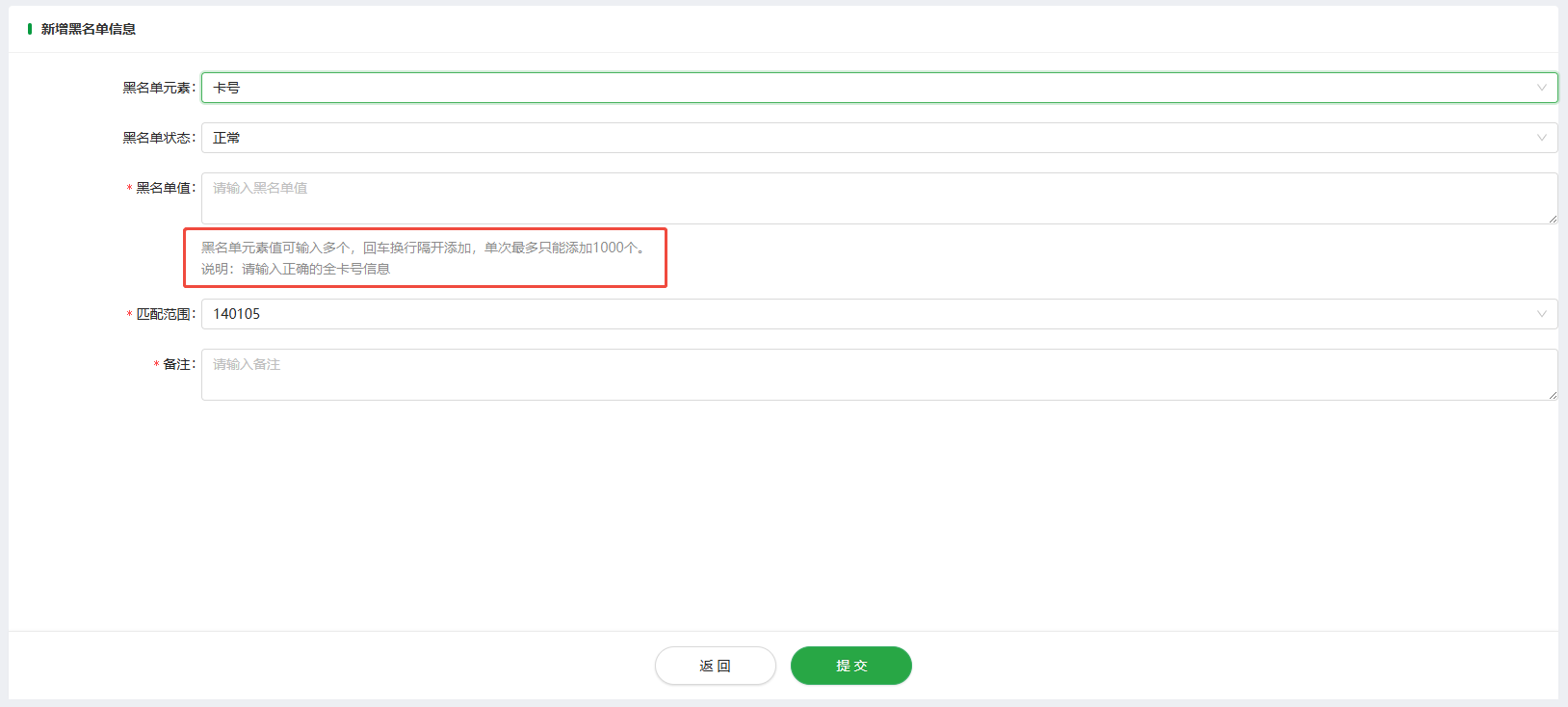
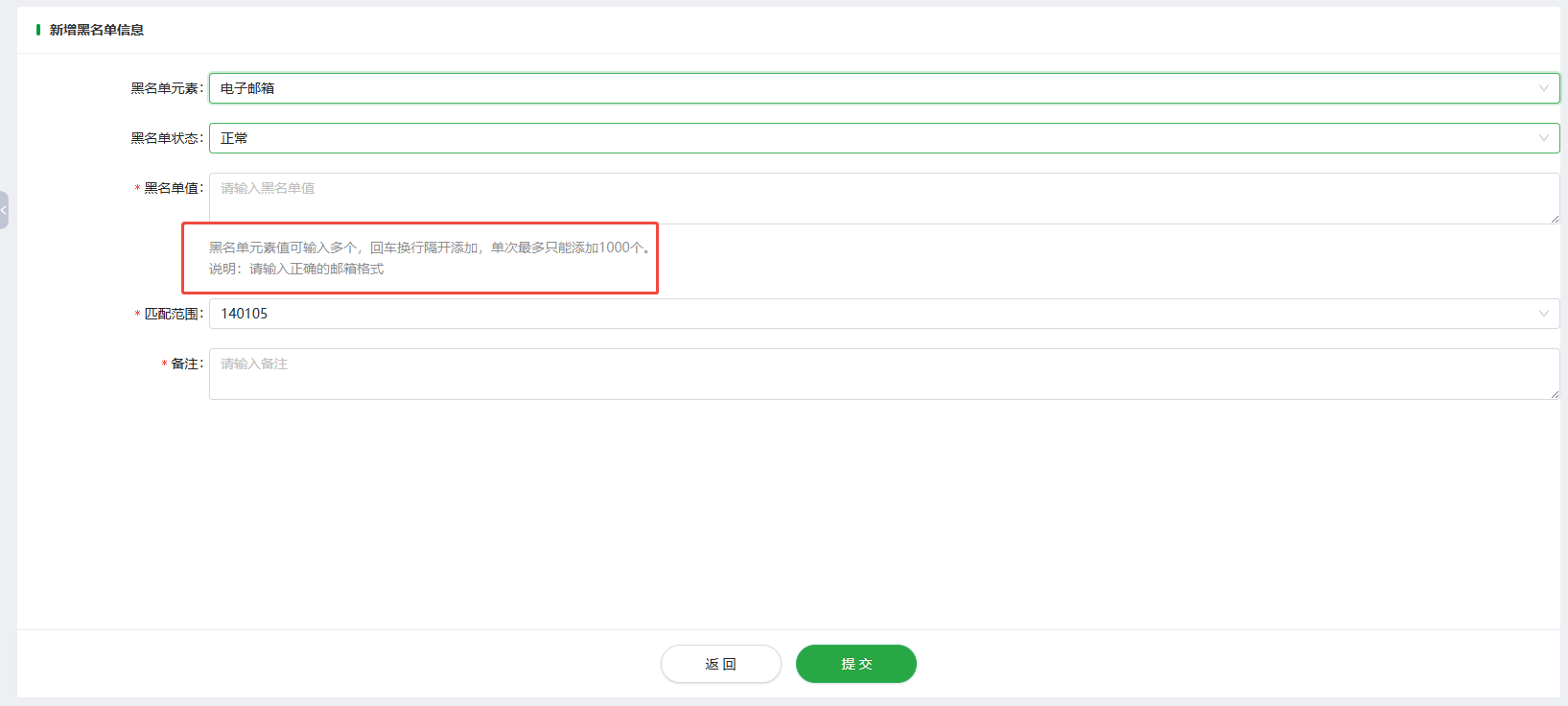
1.2.1 Blacklist Element
-
OP Payment ID: Input an OP Payment ID into the blacklist, its corresponding email address, card number, IP address will be added into the blacklist simultaneously.
-
Email: Add the email address into the blacklist.
-
Card Number: Add the HASH value of this card number to the blacklist; display the first 6 and last 4 digits of the card number.
-
IP address: Add the IP address to the blacklist; both IPv4 and IPv6 addresses can be added.
-
Phone: Add the phone number to the blacklist.
-
Full name: Add the full name to the blacklist, saving it in the format 'FirstName,LastName', e.g., Ashley,Ferguson.
-
Address: Add the address to the blacklist and save it in the format ‘Country,State,City,Zipcode,Address’.
E.g. US,CA,San Francisco,94115,Market Street 2025
1.2.2 Blacklist Status
-
Active: The consumer blacklist takes effect within the Oceanpayment risk control system. Consumers on the blacklist will be blocked by the Oceanpayment risk control system when placing orders.
-
Disabled: The consumer blacklist does not take effect in the Oceanpayment risk control system, and consumers will not be directly blocked by the Oceanpayment risk control system due to being on the blacklist when conducting transactions.
1.2.3 Blacklist Value
-
Merchants can enter multiple values of blacklist elements, and press Enter and newline separate them. A maximum of 1000 values can be added at a time.
-
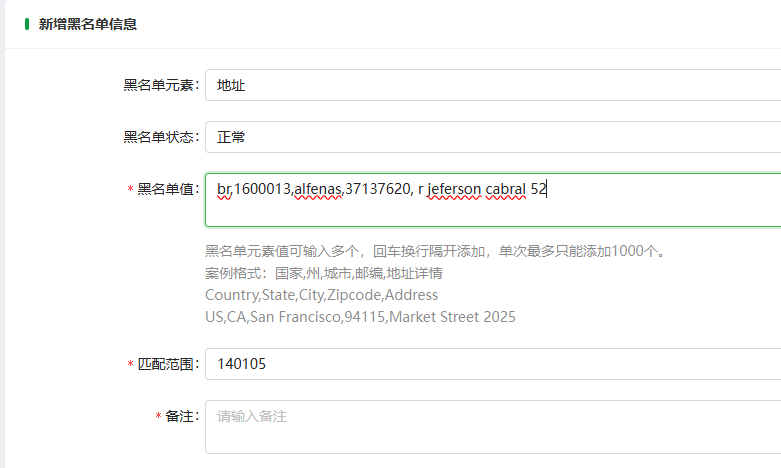
Address: Ensure the correct filling format by adding information in the order of “Country,State,City,Zipcode,Address”. If the information is not added in this format, the addition will not be successful.
E.g. br,1600013,alfenas,37137620,r jeferson cabral 52
1.2.4 Terminals No. (Required Field)
-
Account number: If select an account number, the blacklist value takes effect for all transactions associated with the current account number.
-
Terminals: If select a terminal number, the blacklist value only takes effect for transactions associated with the current terminal.
1.2.5 Remarks
- This is a required field. Please enter text (up to 1,000 characters). Suggested note content: OP Payment ID + Reason for Addition.
1.3 Modify
Select the blacklist record and click the [Modify] button to enter the page for modifying consumer blacklist information.
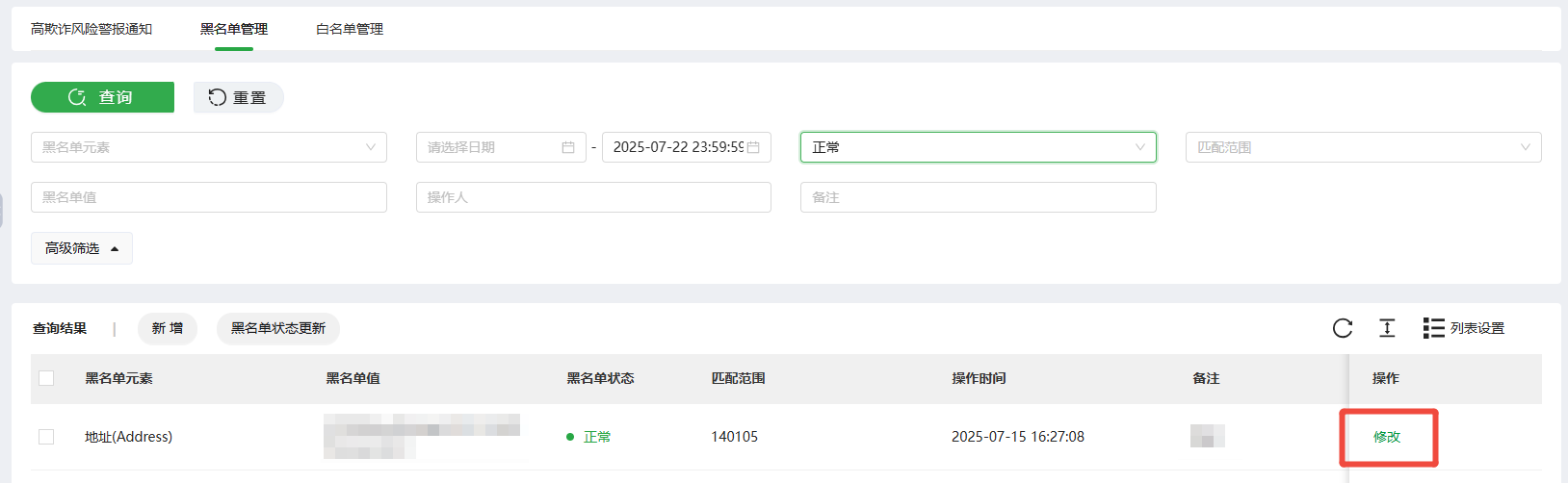
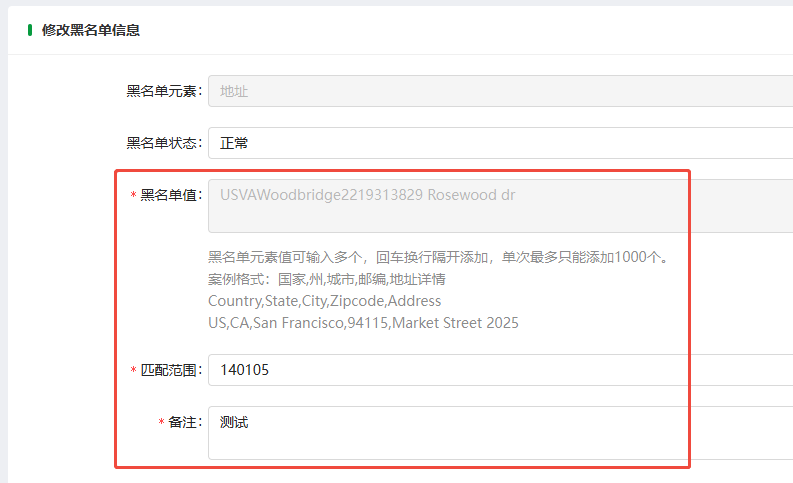
The page for modifying consumer blacklist information is as follows:
-
When selecting a blacklist record, only a single record can be modified at a time; multiple records cannot be modified simultaneously.
-
Merchants can modify individual blacklist records, including Blacklist Status, Terminal No., and Remarks.
1.4 The Blacklist Status Is Updated
Select whitelist records and click [The blacklist status is updated] button to proceed to the next operation page.
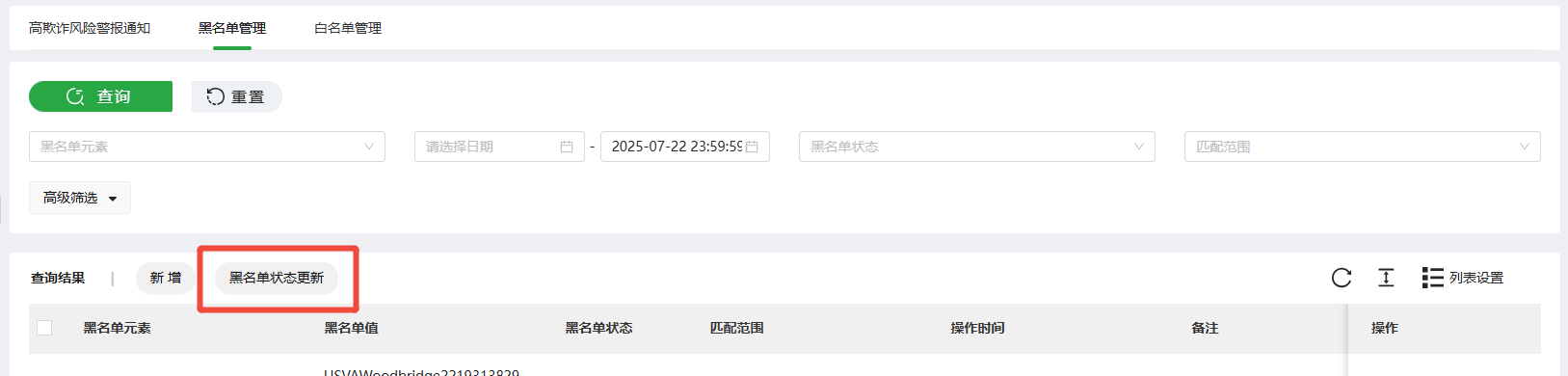
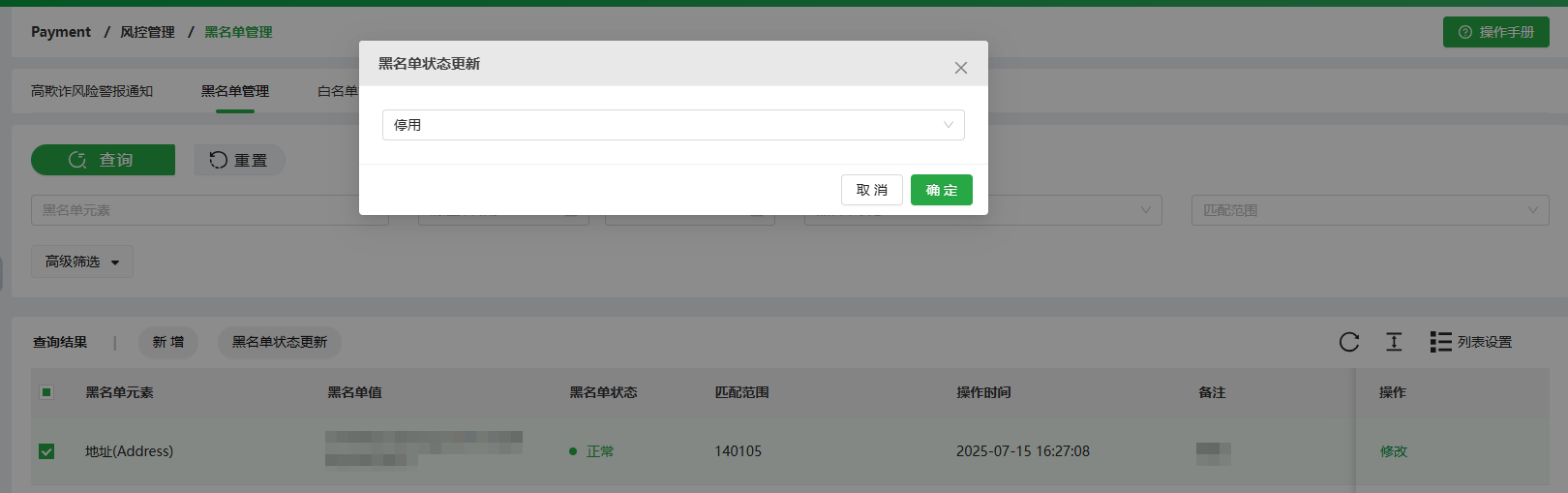
The page for modifying consumer blacklist information is as follows:
-
Select All: It refers to selecting all the queried blacklist records.
-
When selecting blacklist records, merchants can update the blacklist status of a single record, or update the blacklist status of multiple records simultaneously.
-
When updating the blacklist status of multiple records, all selected records will be simultaneously updated to an active or disabled status.
2. Restrictions for Blacklist Addition
-
Consumers on the whitelist are restricted from being added to the blacklist.
-
Consumers who have already been added to the blacklist are not supported for repeated addition to the blacklist.
-
If the blacklist information has been disabled, further additions to the blacklist are restricted.
3. Blacklist Logic
- [Add]: It refers to adding blacklist data on the ODPM platform.
-
Email: The system saves data in its original form; the underlying database for the email blacklist is saved.
-
Card Number: Save the HASH value of this card number; display the first 6 and last 4 digits of the card number.
-
IP address: There are no restrictions on the IP format; both IPv4 and IPv6 addresses can be added.
-
OP Payment ID: Input an OP Payment ID into the blacklist, its corresponding email address, card number, IP address will be added into the blacklist simultaneously.
-
Phone: The system saves data in its original form.
-
Full name: The system saves data in the format of “FirstName,LastName”, e.g. Ashley,Ferguson.
-
Address: The system saves data in the format of “Country,State,City,Zipcode,Address”, e.g. “br,1600013,alfenas,37137620, r jeferson cabral 52”.
- Blacklists added on the ODPM platform are all categorized as fraudulent blacklists.