Assign account to assistance
1. Role Setting
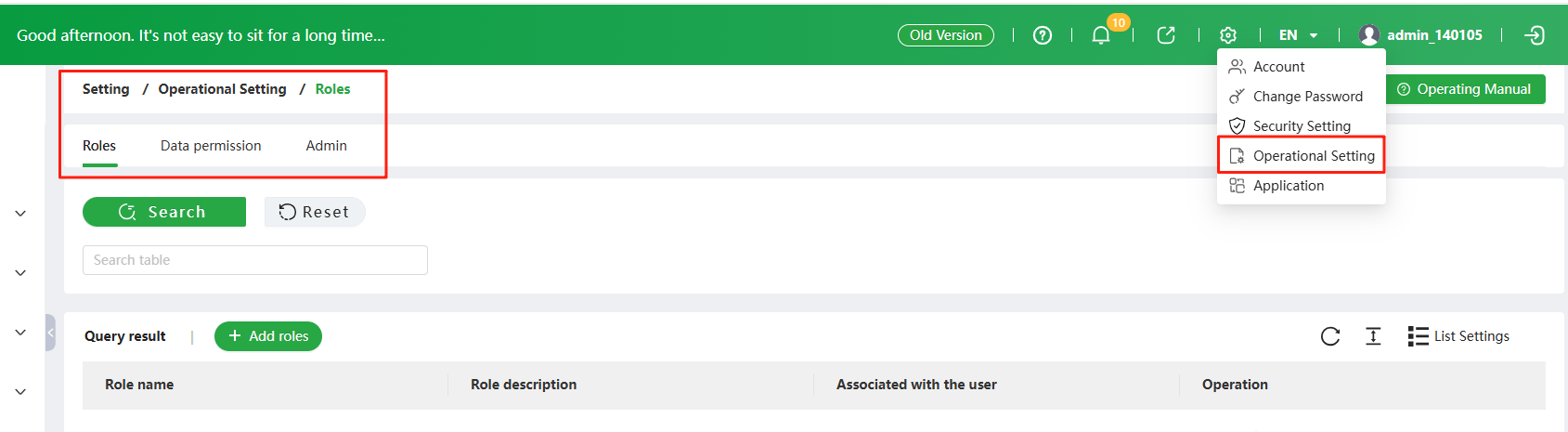
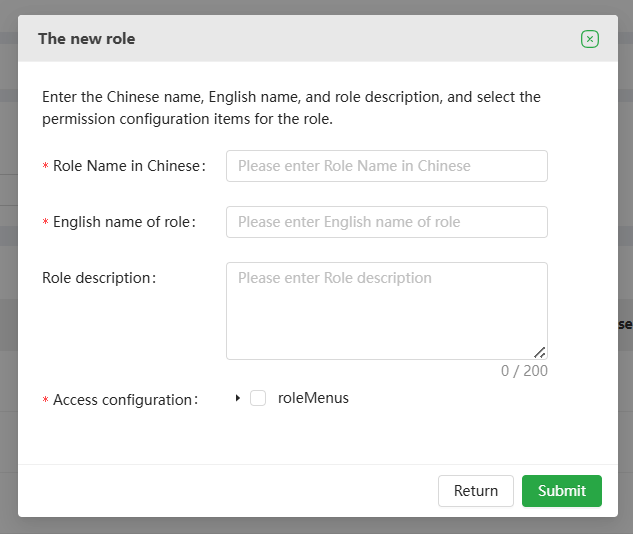
Click on 【Operational Setting】of top right corner of the page, and click【Add Roles】to set roles based on the account user's role or department function. After entering the corresponding information and checking the corresponding permissions on the settings page, click 【Submit】 to successfully set the role. Then enter the 【Role】 page, where you can view a list of all the roles set for the current account, and modify the information or permissions for a certain role, or delete a certain role.

2. Data Permission Setting
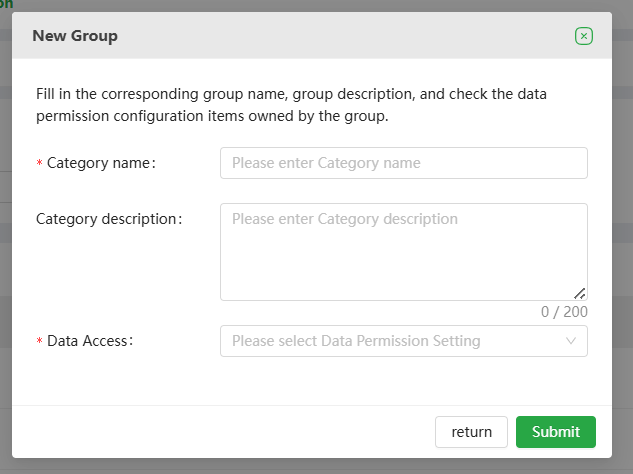
Click on 【Data permission】 -【New Group】to set different website data management permissions based on the websites managed by different teams. After entering the corresponding information and checking the corresponding terminal number on the new group page, click 【Submit】 to successfully set the group. Then enter the 【Data Permission】 page to view the list of all data groups set for the current account, and modify or delete information for a certain group.
3. User Setting
Click on【Admin】 to enter the administrator management page and click on【Adding an Administrator】to assign an account operator sub account to an employee. For a certain operator sub account, the corresponding roles and data permissions can be selected as a single or multiple choice.
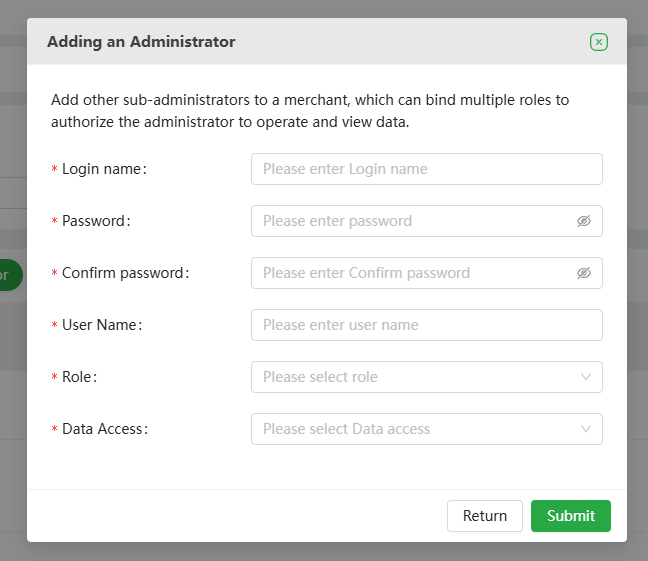
At the same time, it can modify information, delete information, reset passwords, and disable administrator operations.
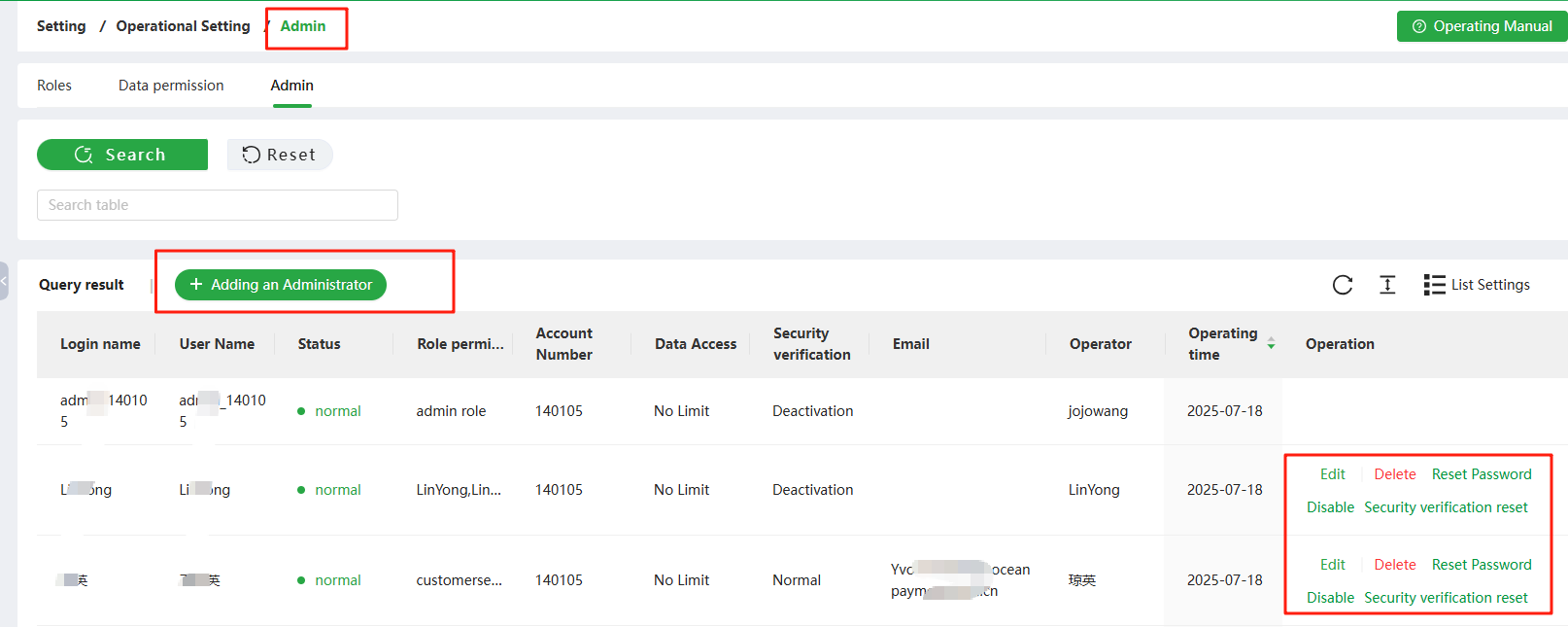
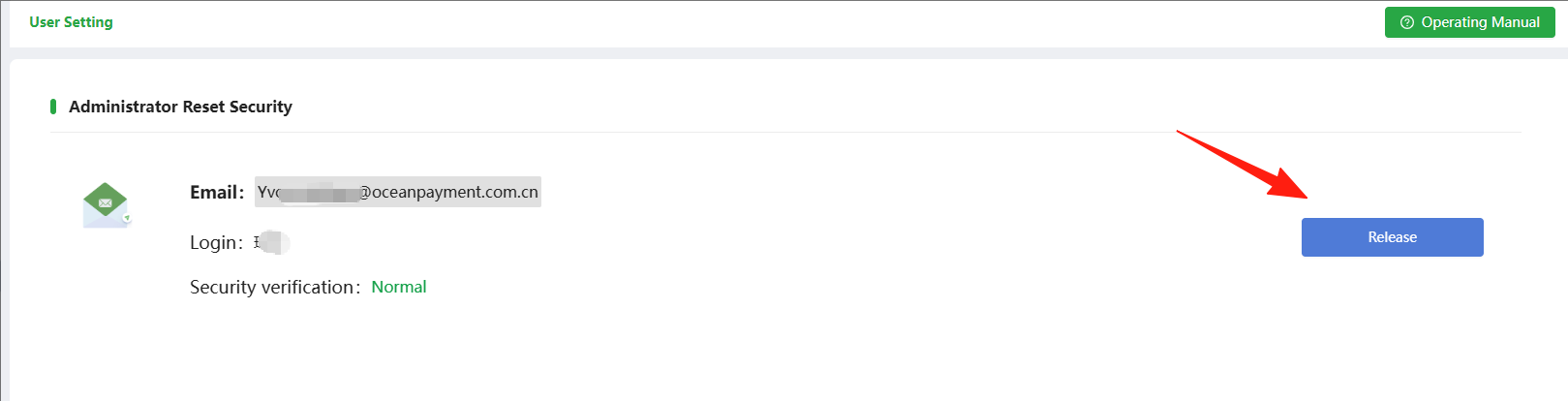
Click on the security verification reset and the main account number can be used to unbind the administrator's email. If the main account number needs to change the bound email, contact Oceanpayment operations. (On each user's first login, there will be a box prompting to bind an email address)